Become a UI/UX Designer
Learn UI Design, UX Research, Wireframing, Prototyping & Portfolio Building with Real Projects.
200+
Happy Learners
100%
Placement Assistance
24
Weeks Program
Industry
Mentors
200+
Happy Learners
100%
Placement Assistance
24
Weeks Program
Industry
Mentors
Become a UI/UX Designer
Learn UI Design, UX Research, Wireframing, Prototyping & Portfolio Building with Real Projects.
200+
Happy Learners
100%
Placement Assistance
24
Weeks Program
Industry
Mentors
200+
Happy Learners
100%
Placement Assistance
24
Weeks Program
Industry
Mentors
Become a UI/UX Designer
Learn UI Design, UX Research, Wireframing, Prototyping & Portfolio Building with Real Projects.
200+
Happy Learners
100%
Placement Assistance
24
Weeks Program
Industry
Mentors
200+
Happy Learners
100%
Placement Assistance
24
Weeks Program
Industry
Mentors
Become a UI/UX Designer
Learn UI Design, UX Research, Wireframing, Prototyping & Portfolio Building with Real Projects.
200+
Happy Learners
100%
Placement Assistance
24
Weeks Program
Industry
Mentors
200+
Happy Learners
100%
Placement Assistance
24
Weeks Program
Industry
Mentors
Why Choose UI/UX Design?
Learn to create user-centered designs that enhance usability and deliver exceptional digital experiences.
UI Design Principles
Design visually appealing and user-friendly experiences.
UX Research
Understand user needs to create meaningful experiences.
Mobile App Design
Design intuitive and engaging mobile app experiences.
Web Design
Learn to create attractive and functional web designs.
Interactive Prototyping
Build clickable prototypes for better user experiences.
Portfolio Building
Build a professional portfolio to showcase your skills.
UI Design Principles
Design visually appealing and user-friendly experiences.
UX Research
Understand user needs to create meaningful experiences.
Mobile App Design
Design intuitive and engaging mobile app experiences.
Web Design
Learn to create attractive and functional web designs.
Interactive Prototyping
Build clickable prototypes for better user experiences.
Portfolio Building
Build a professional portfolio to showcase your skills.
AI-Powered UI/UX Design
20+ modules covering everything you need to become a professional UI/UX Designer.
- Introduction to UI/UX Design and Product Design
- UI vs. UX and the complete design process
- Design Thinking and user-centered design
- Introduction to Figma and modern AI design tools
- Principles of design and visual hierarchy
- Color theory and typography
- Layout, grids, spacing, and composition
- Responsive and accessibility-focused design
- User research and competitor analysis
- User interviews, surveys, and feedback
- User personas and empathy maps
- Customer journey and user flows
- Identifying user problems and pain points
- Information architecture
- Sitemap and navigation structure
- User flows and task flows
- Low-fidelity and high-fidelity wireframes
- Mobile and web wireframing
- User interface design principles
- Typography, colors, icons, and visual assets
- Buttons, cards, forms, menus, and navigation
- Responsive web and mobile UI
- Creating consistent and modern interfaces
- Figma tools, frames, components, and Auto Layout
- Constraints, variants, and reusable components
- Interactive prototypes
- Micro-interactions and transitions
- Design collaboration and developer handoff
- Design tokens and variables
- Component libraries
- Typography, color, spacing, and grid systems
- Reusable UI components
- Design system documentation
- Usability testing fundamentals
- User feedback and design iteration
- WCAG and accessibility fundamentals
- Color contrast and readable interfaces
- Inclusive and user-friendly design
- Introduction to AI, Generative AI, and LLMs
- AI-assisted UX research and data analysis
- AI-generated personas, user journeys, and user flows
- AI-powered brainstorming and ideation
- AI-assisted wireframe and UI generation
- AI-generated color palettes, typography, images, and visual assets
- AI-assisted UX writing and microcopy
- AI-powered usability and accessibility analysis
- Fundamentals of prompt engineering
- Writing effective UI/UX prompts
- Prompts for research, personas, wireframes, and UI
- Structured prompting and prompt optimization
- Building reusable AI prompts for design workflows
- AI-assisted Figma workflows
- AI-powered design iteration
- AI-assisted design system creation
- AI-generated design specifications
- Design-to-Code concepts
- AI-assisted HTML, CSS, and frontend workflows
- Building a professional UI/UX portfolio
- Creating UX case studies
- Presenting design decisions and processes
- Client presentation and design communication
- Interview preparation
- Freelancing and career opportunities
- Website UI/UX Design
- Mobile App UI/UX Design
- E-commerce Interface Design
- Dashboard / SaaS Design
- Landing Page Design
- AI-Assisted End-to-End UI/UX Project
Tools You’ll Learn
Master Industry-Standard Design Tools Used by Professionals.







Career Opportunities
After completing the AI-Powered UI/UX Design Course, you can explore career opportunities such as:
Work On Real Projects
Build industry-level projects and strengthen your portfolio.
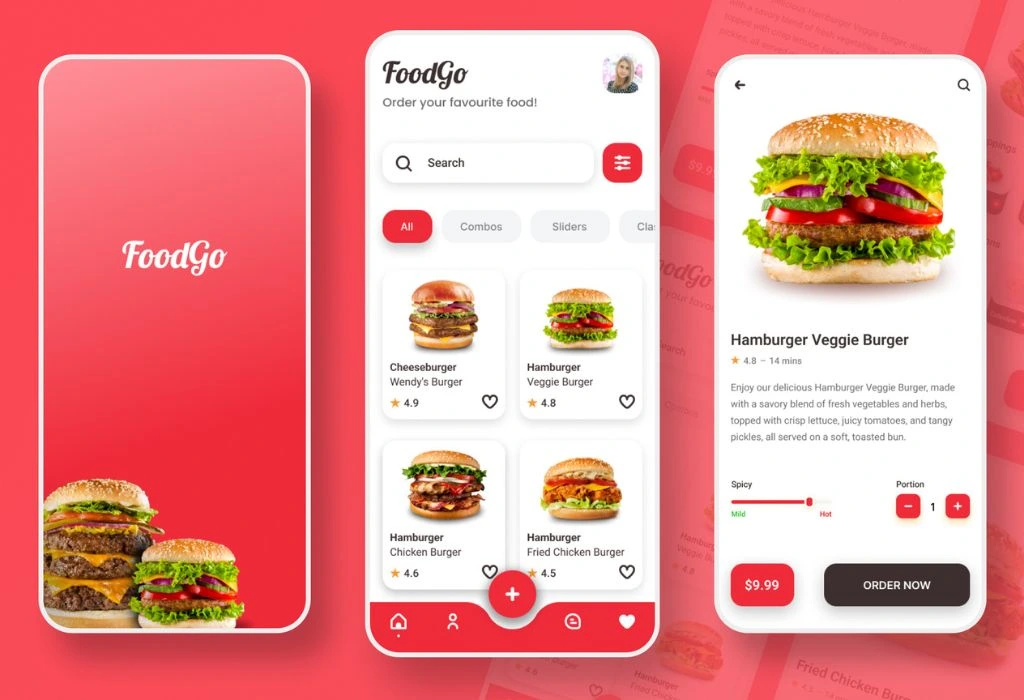
Food DeliveryApp
Design a complete food delivery experience from scratch.
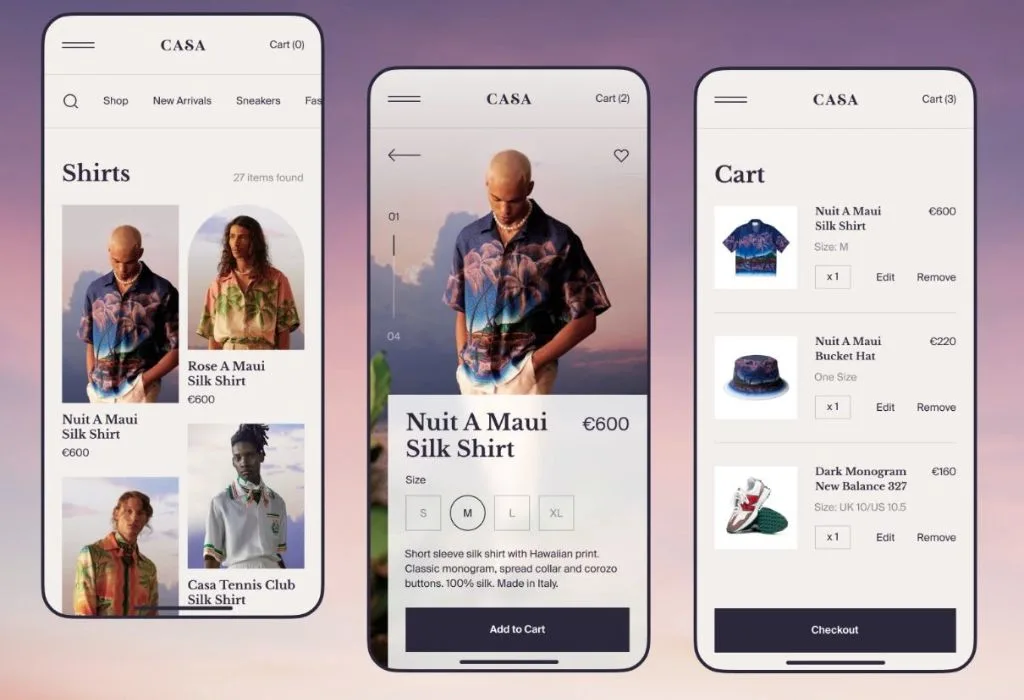
E-commerceWebsite
Create a modern and responsive e-commerce website.
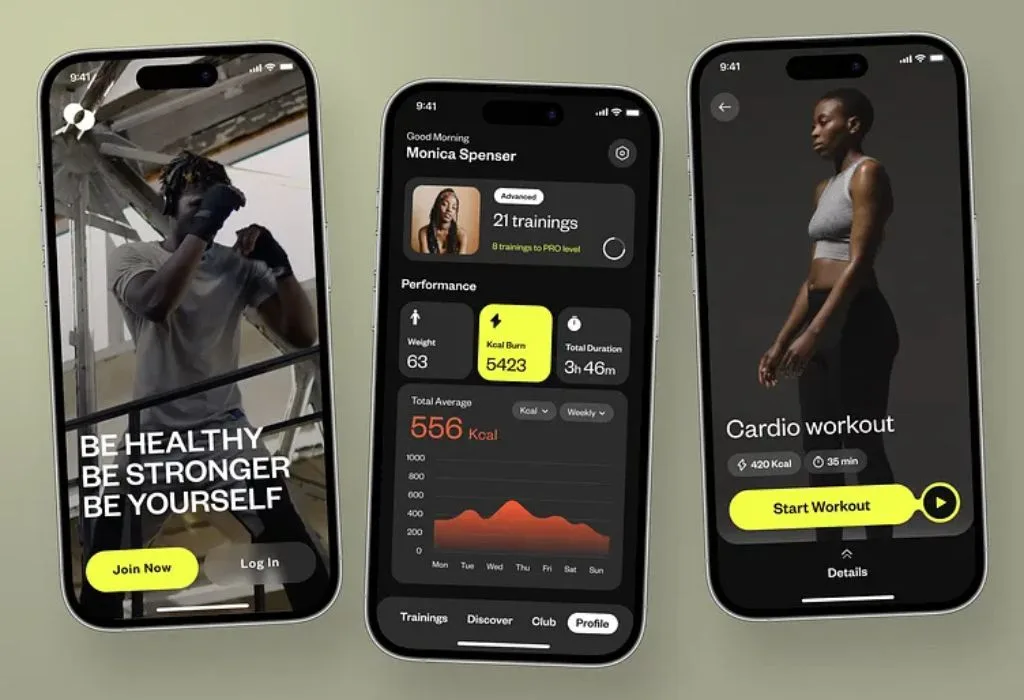
Fitness MobileApp
Design a fitness app with tracking, plans and analytics.
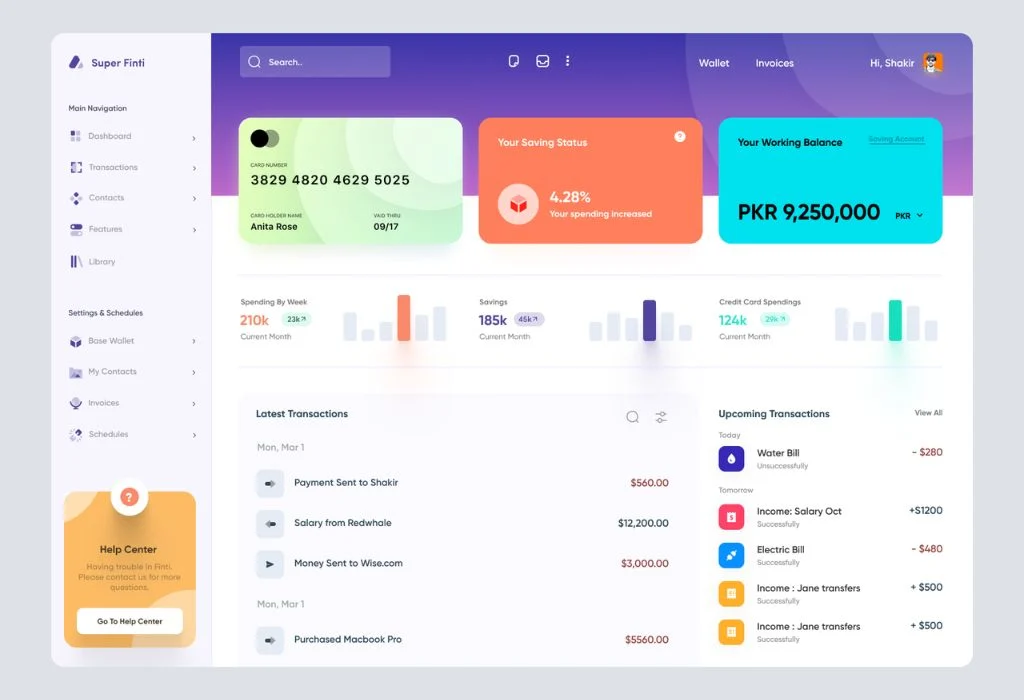
BankingDashboard
Build a clean and intuitive banking dashboard UI.
Work On Real Projects
Build industry-level projects and strengthen your portfolio.
Food Delivery App
Design a complete food delivery experience from scratch.
E-commerce Website
Create a modern and responsive e-commerce website.
Fitness Mobile App
Design a fitness app with tracking, plans and analytics.
Banking Dashboard
Build a clean and intuitive banking dashboard UI.
Ready to Start your Tech Career
Join Sinfode Academy for industry-focused training, live projects, internships, and placement support designed to build real-world skills and career opportunities.
Frequently Asked Questions
Questions asked about the best UI/UX design institute.
What is the duration of the AI-Powered UI/UX Design Course?
The program duration is 6 months and includes UI/UX concepts, AI-powered design workflows, practical exercises, real-world projects, prototyping, and portfolio development.
Can beginners join the AI-Powered UI/UX Design Course?
Yes. Beginners can join the course. Training starts with basic design and UX concepts before progressing toward advanced UI/UX and AI-powered design workflows.
Do I need prior design experience?
No prior design experience is required. The course covers design fundamentals, UX research, wireframing, prototyping, AI tools, and portfolio development from the basics.
Will I work on real-world projects?
Yes. You will work on practical website, mobile app, and digital product projects to develop hands-on experience and strengthen your portfolio.
Will I learn UI/UX design for websites and mobile apps?
Yes. The course covers both web and mobile UI/UX design, including responsive layouts, user flows, wireframes, interfaces, and interactive prototypes.
Do you provide placement assistance?
Yes. We provide resume building, portfolio guidance, interview preparation, career guidance, and placement assistance to help students explore suitable UI/UX career opportunities.
Can I visit the centre before enrolling?
Yes. You can visit the centre and discuss the course, curriculum, projects, and batch details before taking admission.